How we have automated our customer contracting process
After weeks of return and return, your potential has evaluated the options and chosen you.Price is agreed.Deliveries are clear.Now it's time to make it official.
For every new customer who wants ZebraBytes to manage compliance as a managed service, we need three signed documents:
- An Order Form transaction recapitulation: amount, deliveries, start date, limitations, signature details.
- A Mutual NDA protecting both sides.
- A Master Service Agreement (MSA) covering the full engagement.
They all need signature information, contract details and official signatures from both a ZebraBytec representative and from the customer representative.
We could have manually filled out each field of the three documents, printed them, signed them, and faxed them.
To be honest, I don’t have one either.
So I went with electronic signatures. It’s a regulated space if you want your signature to remain legal. We chose the well-known leader: Docusign.
Here’s what we learned about building this pipeline and why we rebuilt it twice.
Phase 1: Docusign Templates and Doc-Gen Fields
The first version was released on n8n, our workflow automation tool.
The process began with the collection of customer information needed for contracts: the legal name of the company, the address of the headquarters, the details of the signatories.
We have built a simple order form on our website. When a prospect decides to proceed with ZebraByte, we send them the link. They complete it. A first workflow8enriches the transaction in HubSpot with that information and automatically moves it to the “Send Contract” phase.
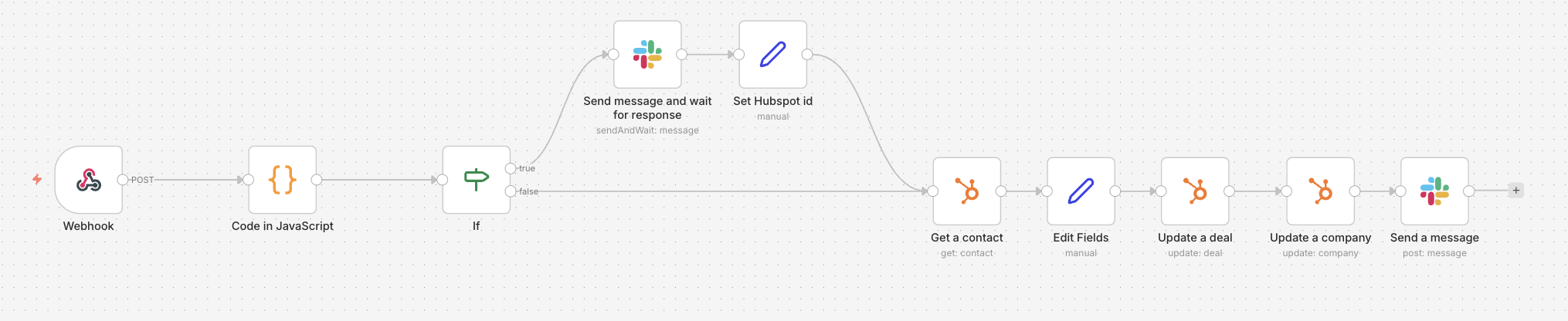
When a transaction touches “Send Contract”, a second workflow turns on. It uses the Docusign node to create a new envelope from a pre-built three-part template in a particular signature order:
- ZebraByte representative signs first.
- Customer representative signs second.
- ZebraByte legal receives a copy.
The template contained three documents, each using document generation (a Docusign feature that allows you to define variables within documents).
Stop opening Docusign, fill in the fields one by one, attach documents manually.
Apoi am lovit primul zid.
To use doc-gen fields through the API, you must upgrade to a Docusign Enterprise plan. In addition, you pay for specific chips consumed each time you generate a doc-gen document.
I found this difficult: the first time I ran the node into production, it failed. Luckily I found any mention of this requirement in the Docusign documentation. The error message did not give you any details.
So I paid, and it worked.
Phase 2: The Review Problem
The real problem was not generating documents, but changing them.
A customer wants to review the order form. add an accuracy to the MSA. Adjust a specific clause for their business.
Reasonable requests. but in our workflow? no process for it.
We had to delete the entire envelope, then send emails back and forth until both parties agreed to the changes, and then manually edit the doc-gen templates in the Docusign app.
If you’ve ever tried editing doc-gen documents by hand, you know.
We turned to a square for each non-standard business.
Phase 3: Google Docs to E-Signature, Fully Automated
Doc-gen was expensive, hard to change, and locked in the Docusign app.
I migrated the document generation to Google Docs.
The three documents templates now live in a dedicated Google Drive folder. Each has variables, the same concept as doc-gen, but in one tool everyone already knows how to use.
Here’s how the new workflow works:
When a business moves to “Contract Review”:
- The workflow creates a new Google Drive folder, shared with the client.
- The three template documents are copied into this folder.
- All variables are replaced with real values extracted from HubSpot.
Now the customer can comment and suggest directly on Google Docs. Questions about a clause? Leave a comment. Do you need to add a specific document to their business? Throw it into the folder.
No deleted covers, no email chains, no manual edits for locked templates.
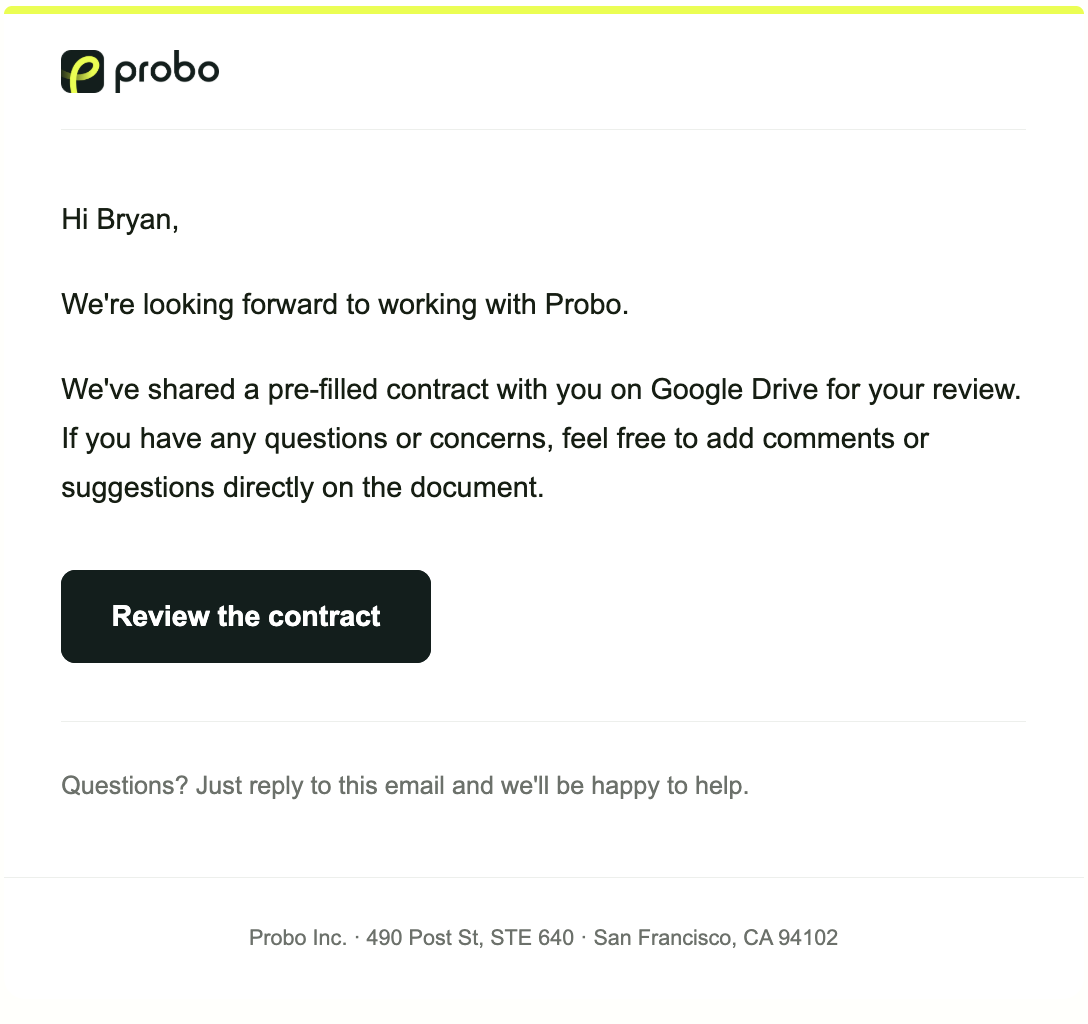
When everything is aligned and the transaction moves to “Send Contract”:
- The workflow lists all the documents in the client folder and downloads them.
- Creates a new Docusign envelope with the right parameters (order signature, recipients).
- The downloaded documents are attached to the envelope.
- For placing signatures, we use a hidden text anchor in the template and docusign documents. Anchor Tabs to automatically position the signature fields.
- The box is sent.
Both parties sign. Done.

What I won
The contract cycle has shifted from “manual, fragile and locked by every review application” to “self-service collaboration with automated electronic signature at the end”.
The key insight: Separate the editing document from the signature. Let people collaborate where people are good at collaborating (Google Docs).
A few specific wins:
- Customer reviews are frictionless. Comment on a Google Doc, not a PDF locked in a provider’s app.
- Non-standard deals don’t break the process. Do you need an additional document? Add it to the folder. The workflow raises it.
- No more doc-gen token costs. Google Docs is free, and the Docusign project has been removed.
- Internal time per contract increased from ~20 minutes to less than 2. Move a transaction to the correct state. The rest is automated. There are no more contextual changes.
What would I tell you
If you’re building a contractual workflow, here’s what we’ve learned:
- Do not start with the electronic signature tool. Start with where the documents live and how they are reviewed.
- Docusign’s API pricing is opaque. Doc-gen through APIRequires Enterprise and per-use tokens. Budget accordingly, or to avoid doc-gen entirely. Also set-up-up a key API is not an easy one.
- Google Docs as a contract writing layer works surprisingly well. Share, comment, version history, all embedded. your customers already know how to use it.
- Build for the review cycle, not just the happy way. Most contracts require at least one round of back-and-forward. If the workflow breaks at the first review request, it is not a workflow.
What happens after the contract is signed?
If you are implementing a similar process and struggling with any part of it, do not hesitate to connect to the LinkedIn. I’d be happy to help.