





OpenRouter
Connect OpenRouter as an access review source using an organization management key so that the platform can list the members of your organization.
The platform reads the members of your OpenRouter organization through the members of the API organization, so you can check who has access.
Prerequisites
Section entitled ‘Prerequisites’- the platform organization administrator access
- The organization admin (
org:admin) the role in OpenRouter (mind the management key within the organization) - An OpenRouter organization (create one under Settings > Preferences before creating the key; this requires a verified email address)
Collected Fields
Section entitled “Collected Fields”| the platform field | OpenRouter field | Notes |
|---|---|---|
| Name | first_name last_name |
Combined into a full name; returns to email when none is set |
email |
The member’s email address | |
| Role | role |
org:admin maps for Admin, org:member maps for Member, otherwise the gross role |
| Admin | role |
Showed as administrator when role is org:admin |
| Status | Not supported | |
| MFA | Not supported | |
| Last login | Not supported | |
| External ID | id |
Stable ID used to track your account through reviews |
| Created at | Not supported |
Step 1: Create an API Key
Section entitled “Step 1: Create anAPIKey”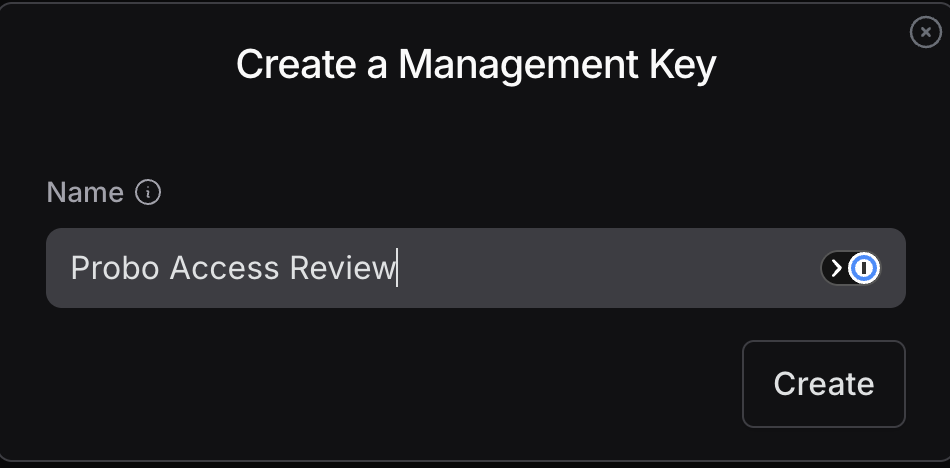
- In OpenRouter (signed as an organization admin), go to Settings > Management API Keys (
openrouter.ai/settings/management-keys). - Click Create New Key, name it (for example,
Probo Access Review), and confirm. management keys do not have tranches per-scope; the only key type authorizes the listing of organization members. - Copy the key (
sk-or-v1-…) and save it securely.
Step 2: Connect in the platform
“Step 2: Connect in the platform”- On the platform, go to Access Reviews > Sources > Add Source.
- Find OpenRouter, click API KeyPut the key and click Connect.
Name of Source OpenRouter And attract members of your organization to your campaigns.
Troubleshooting
Section “Troubleshooting”- Key rejected. Confirm it’s an organization Management API key (
sk-or-v1-…) is not a personal inference key. - No members appear. The management key must belong to the organization you are reviewing and be created by an administrator of the organization.