





Railway
Connect Railway as access review source using an API account token so that the platform can list the members of each workspace to which the account belongs.
The platform reads members of railway workspaces through the railwayGraphQLAPIso that you can check who has access.
Prerequisites
Section entitled ‘Prerequisites’- the platform organization administrator access
- A Railway account token from an account that belongs to each workspace you want to review (the review only covers workspaces in which the token account is a member)
Collected Fields
Section entitled “Collected Fields”| the platform field | Railway field | Notes |
|---|---|---|
| Name | name |
Return to Email |
email |
||
| Role | role |
ADMIN → Admin, MEMBER → Member; other roles are displayed as is, and roles are combined in the account workspaces |
| Admin | role |
Tagged as administrator when any workspace lists role as ADMIN |
| Status | Not supported | |
| MFA | twoFactorAuthEnabled |
If two-factor authentication is enabled for a member |
| Last login | Not supported | |
| External ID | id |
Stable ID used to track your account through reviews |
| Created at | Not supported |
Step 1: Create an Account Token
Step 1: Create an Account Token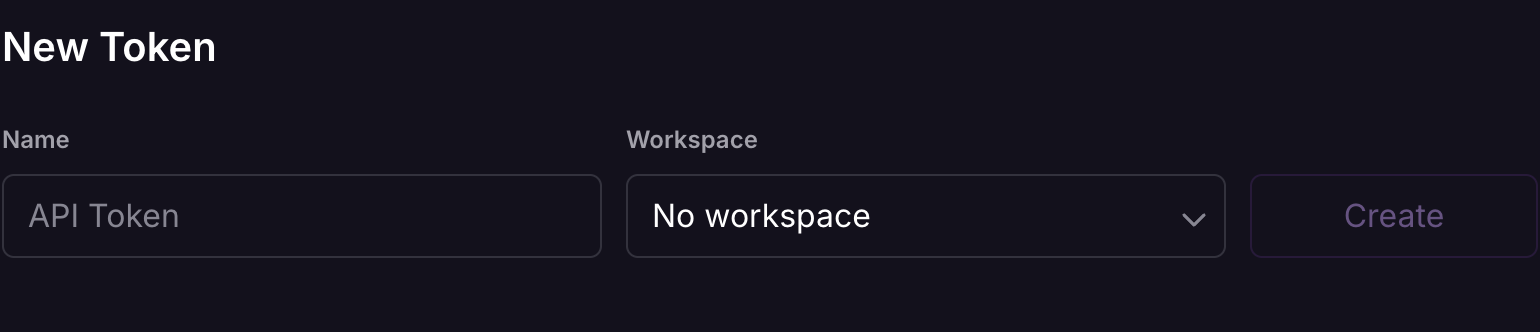
- In Railway, go to Account Settings > Tokens.
- Count it (for example
Probo Access Review), leave the workspace selector No workspace What is linked to your account and create it. - Copy the token and store it securely. it is displayed only once.
Step 2: Connect in the platform
“Step 2: Connect in the platform”- On the platform, go to Access Reviews > Sources > Add Source.
- Find Railway, click API KeyHold it in your hand and click Connect.
The platform names the source after the Railway workspace or your account when the token account belongs to multiple workspaces and attracts their members into your campaigns.
Troubleshooting
Section “Troubleshooting”- Token rejected. Confirm it’s an account token, created with No workspace A work space or project token will not work because the platform query solves your personal account.
- No members appear. The token account must belong to the workspace you are reviewing; the members of the workspaces in which the account is not located are not visible.