





Render
Connect Render as the access review source using an API account key and the workspace ID so that the platform can list the members of that workspace.
The platform reads members of the Render workspace through RenderAPI so you can check who has access.
Prerequisites
Section entitled ‘Prerequisites’- the platform organization administrator access
- A Render account that belongs to the workspace you want to review Render documents that each workspace role can view members of the workspace so that the key doesn’t have to come from a Admin
- An account that meets the workspace authentication requirements. If the workspace requires 2FA, Render blocks its keysAPIfrom accessing the workspace resources until the key owner activates 2FA. If it requires Google authentication, the key must be created while connecting through Google. If it requires SAML SSO, existing keys remain invalid until their owner connects through SSO
- A workplace on Pro plan or higher if it has more than one member (a Hobby workspace may not have additional members)
- The Workspace ID the workspace that the platform should review, which the Connect dialog asks alongside the key. Settings Page in the Render Dashboard and start with
tea-, or withusr-for a personal work space. You can also list the work spaces that a key can reach with ___ZBT_I18N_RUNTIME_BLOCK_171__
Collected Fields
Section entitled “Collected Fields”| the platform field | Render field | Notes |
|---|---|---|
| Name | name |
Returns to the email address when the member has no name |
email |
Members who return without an email address are omitted | |
| Role | role |
Render returns an enumeration. ADMIN, DEVELOPER, WORKSPACE_CONTRIBUTOR, WORKSPACE_BILLING, and WORKSPACE_VIEWER are displayed as Administrator, Developer, Contributor, Billing and Viewer. Any other values are displayed as returned |
| Admin | role |
Tagged as administrator when role is ADMIN, which is also the role to the workspace owner |
| Status | status |
active is listed as active and inactive as inactive. Missing or unrecognized status leaves the account status unknown rather than disabled |
| MFA | mfaEnabled |
Activated when true, disabled when false |
| Last login | Not supported | |
| External ID | userId |
Stable ID used to track your account through reviews |
| Created at | Not supported |
Render returns each member of the workspace, active and inactive, in one response.
Step 1: Create an API Key
Section entitled “Step 1: Create anAPIKey”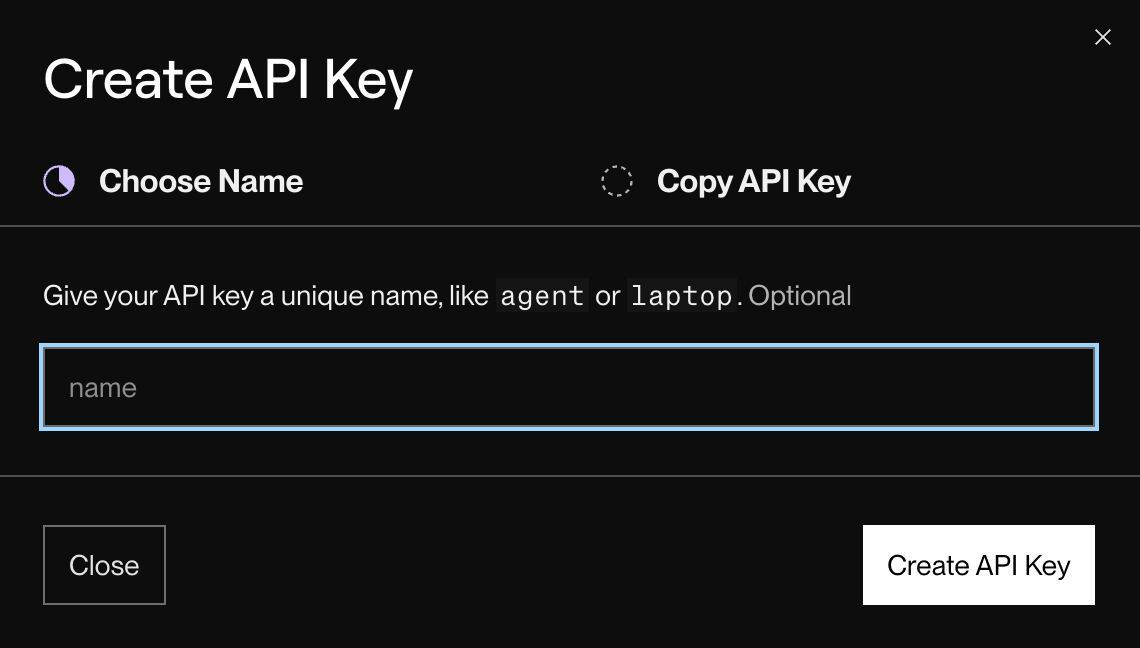
- In the Render Dashboard (registered with an account belonging to the workspace you want to review), open Account Settings from the account menu on the upper right.
- On the Account Settings page, create an API key. Create API Key the key name (the name is optional, for example
Probo Access Review) and click Create API KeyRender keys do not have domains, so the key authorizes everything its creator can do in the Dashboard. - by La Copy API Key Copy the key and store it securely. Render displays the full key only once when you create it.
Step 2: Connect in the platform
“Step 2: Connect in the platform”- On the platform, go to Access Reviews > Sources > Add Source.
- Find Render, click API KeyPress the key and enter. Workspace ID (the identifier at the top of the workspace Settings page), and click Connect.
The platform names the source by your workspace and attracts its members to your campaigns.
Troubleshooting
Section “Troubleshooting”- Key rejected. Confirms that the key was created on the Account Settings page of an account that belongs to the workspace and that Workspace ID Identifies the same workspace. A key created by an account outside the workspace cannot read its members. If the workspace requires 2FA, Google login or SAML SSO, the key also remains unusable until its owner meets this requirement: 2FA enabled in the owner’s account, the key created while it was connected through Google or the owner connected through SSO.
- No members appear. A Hobby workspace cannot have additional members, so list only its owner.
- Workspace ID unknown. Open the workspace’s Settings page in the Render Dashboard; the ID is at the top and starts with
tea-, or withusr-for a personal work space. Alternatively, callGET https://api.render.com/v1/ownerswith the key to list every work space it can reach. - Syncs stop returning members. A RenderAPI key authorizes the same actions as the account that created it and only reaches the workspaces to which the account belongs.